Bath & Body Works
- 4.2
- Rating
- 10.00M
- Installs
- Free
- Price

 Analysis by App-foxy
I installed Bath & Body Works to see whether it is genuinely useful for shopping or simply another brand app taking up space on a phone. My impression is that it works best as a focused companion for people who already buy the brand, especially when they want to browse seasonal collections, manage purchases, and keep an eye on the brand’s rewards experience in one place. It is a free shopping app from Bath & Body Works- Mobile, rated for Everyone, and it has built a substantial audience with an average rating of 4.3 from around 290 thousand ratings.
The important question for me was not only whether I could find candles, body care, or home fragrance products quickly. I also wanted to understand how much control the app gives me during ordinary shopping moments: whether I can browse without committing to an account, how clearly it presents choices, and whether the experience feels more useful than visiting the mobile website. That distinction matters because a retail app should earn a place on my phone rather than assume I will use it simply because I like the store.
What the app feels like in everyday shopping
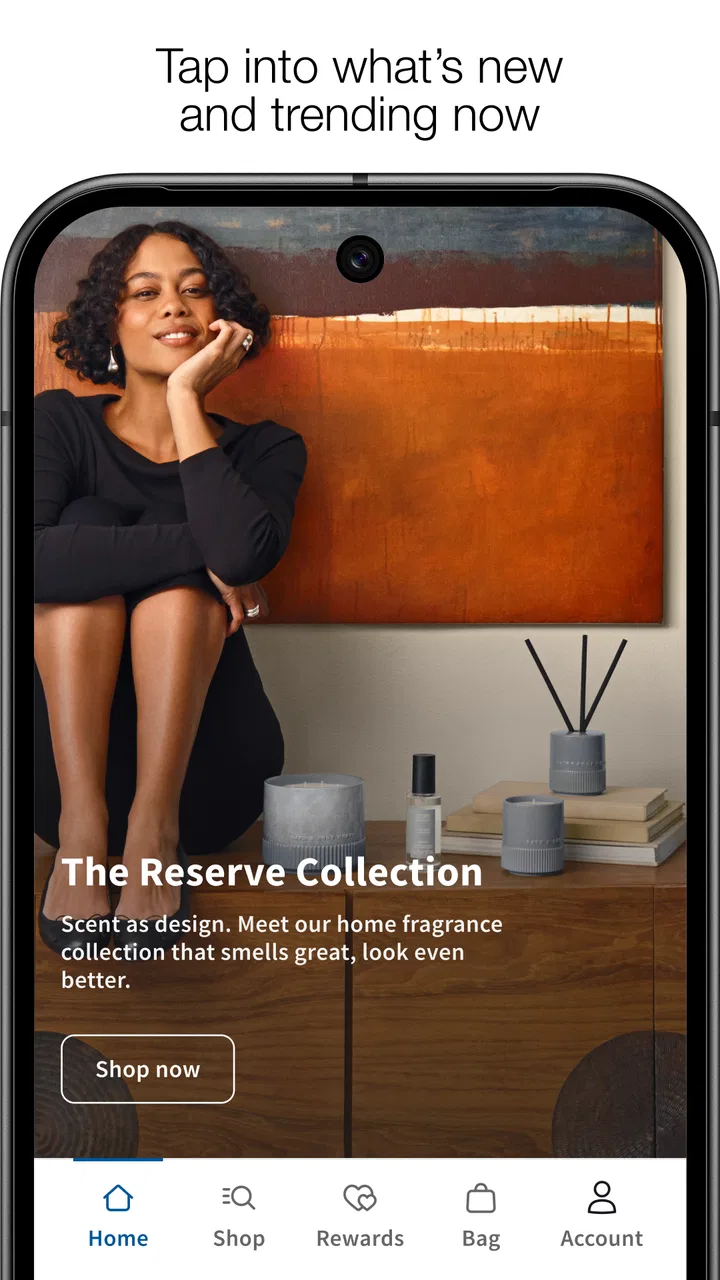
The app opens with the familiar Bath & Body Works shopping focus rather than trying to become a general marketplace. That narrow purpose is a strength. I am not distracted by unrelated brands or a huge range of departments, so moving from a product idea to a shortlist feels fairly direct. If I am looking for a fragrance family, a gift, a seasonal item, or a particular type of personal-care product, the app gives me a more brand-specific environment than a general shopping app can provide.
You May Also Like

 Blood Strike: 2.5 Anniversary
Blood Strike’s Loadouts Turn Every Drop Into a Tactical Gamble
A close look at Blood Strike’s custom loadouts: how fast access to signature weapons reshapes its battle royale rhythm, rewards preparation, and narrows the gap between fights.

 Pandora - Music & Podcasts
Pandora’s Music Is Easy to Start, but Harder to Recover
Pandora’s strength is its low-effort path from a seed to a station. Its weak spot is how much confidence it asks you to place in connection, setup, and quiet recovery.

 8 Ball Pool
 Is Built on Rivalries, Rematches, and Routine
A close look at the rivalries, rematches, shared routines, and unanswered safety questions that turn a quick pool match into a persistent mobile community.

 Samsung Music
’s Quiet Strength Is Playing What You Already Own
Its reach comes less from spectacle than from dependable access to a personal library. That simplicity is both the app’s strongest retention engine and its ceiling.

 AccuWeather: Weather Radar
AccuWeather Review: A Quick, Clear Forecast for Everyday Decisions
For everyday plans, the best forecast is the one you can understand quickly. AccuWeather makes rain timing, radar, and local conditions easy to act on, with a few trade-offs.

 Hill Climb Racing
Why Hill Climb Racing Still Turns Crashes Into One More Run
A tiny car, a bumpy hill and one more upgrade: Hill Climb Racing keeps resurfacing because its simple chaos makes every near-miss feel personal.
More From Our News Desk
View All News


Its store summary, “Shop. Earn. Redeem. Repeat!”, captures the intended cycle: browse products, participate in the brand’s rewards experience, and return when there is a reason to buy again. The short description is simply “Bath & Body Works,” which is accurate but not especially informative. In practice, the app’s value comes from the shopping workflow rather than from explaining itself before installation.
I can imagine using it on a normal weekend when I need a small gift but do not yet know which product to choose. Instead of walking into a store and comparing shelves under time pressure, I can browse categories first, check scent descriptions, and build an idea of what might suit the recipient. That does not eliminate the uncertainty of choosing fragrance online, but it makes the first stage of the decision more comfortable.
The app is also useful for repeat buyers. Once I know which product type I want, I do not need to search the wider internet and sort through unrelated results. The brand’s own catalog is the relevant catalog. That makes the app less compelling for someone who shops across many retailers, but more convenient for someone who already has a short list of Bath & Body Works favorites.
Browsing is more valuable when I start with a purpose
One of my practical observations is that browsing without a plan can become less efficient than expected. A large branded catalog encourages discovery, but discovery can also lead to a long session filled with similar scents, formats, and seasonal variations. I get better results when I decide what I am solving first: a birthday gift, a replacement product, a home fragrance purchase, or a personal-care restock.
For gift shopping, I would use the app to narrow the occasion and product format before thinking about fragrance. That order reduces the chance of choosing something attractive but unsuitable. For personal shopping, I would begin with the product category I already understand and then compare scents. This is a small workflow change, but it prevents the app from turning a simple purchase into an overly broad browsing session.
Another useful habit is to treat the product page as a decision point rather than immediately adding an item to the basket. I would read the available details, check the selected size or format, and confirm that the item matches the intended use. Brand apps often make it easy to move quickly from an appealing image to checkout; slowing down at this stage is especially sensible when buying fragrance for someone else.
Rewards are convenient, but they change how I shop
The rewards side is central to the experience, and that can be helpful for regular customers. Having shopping and reward activity together means I do not have to treat the loyalty program as a completely separate task. For someone who buys from the brand often, that continuity can make the app feel worthwhile even when the product search itself would be just as easy in a browser.
At the same time, rewards can encourage purchases that were not part of my original plan. The promise of earning or redeeming something can make a small basket seem more attractive, even when waiting would have been the better financial decision. I would therefore decide what I actually need before opening the app, then use the rewards features as a way to complete that purchase rather than as the reason to create one.
This is one of the app’s less obvious trade-offs. A loyalty-focused shopping tool can save time for a committed customer, but it can also make repeated shopping feel automatic. I prefer to keep the app in a supporting role: useful for checking my options and handling a planned order, not a prompt to browse whenever I am bored.
Trust, controls, and moments that deserve attention
My trust in a shopping app comes from visible choices more than from polished design. With this app, I would pay attention to the points where the experience asks me to sign in, provide information, accept notifications, or continue through a purchase flow. Those are the moments when I want clear wording and an obvious way to pause. A familiar retail name helps establish context, but it does not remove the need for me to review what I am agreeing to.
I would begin by browsing before deciding whether an account is worth using. That gives me a chance to judge the catalog and the app’s usefulness without immediately tying the experience to a personal profile. If I later want to use account-based shopping or rewards functions, I can make that decision with a clearer idea of the benefit I am receiving.
The best trust habit is to exchange personal information only when it unlocks a feature I genuinely plan to use. For example, if I am only comparing scents, I do not need to rush into account setup. If I am ready to manage a purchase or participate in the loyalty experience, the value of signing in is easier to evaluate. This approach keeps the user in control without making the app unnecessarily difficult to use.
Account decisions should match the way I shop
A regular Bath & Body Works customer may find an account more useful than an occasional visitor. The difference is not the app itself but the frequency of the shopping relationship. If I purchase only once for a special occasion, I would avoid creating an account unless the checkout or a specific reward benefit makes it worthwhile. If I return often, keeping shopping and rewards activity together may justify the extra account management.
I also prefer to review account settings after the first sign-in rather than assuming the default arrangement is ideal for me. I would look for controls related to communications, saved details, and sign-in management, then adjust anything I do not want. The exact options can depend on the current app experience and account state, so the practical advice is simple: read the available choices on the screen and use them deliberately instead of tapping through automatically.
That is particularly important with retail apps because convenience can make a user less attentive. A saved account can speed up future shopping, but it may also make it easier to place an order without reconsidering the basket. I like the convenience, yet I would still check the final details every time, especially when shopping from a phone during a busy day.
Data-sensitive moments are easy to overlook
There are several points where I would become more careful. The first is account creation, because it changes the app from a catalog into a more personalized shopping channel. The second is checkout, where accuracy matters more than speed. The third is notifications: a reminder can be useful when I am waiting for an order or tracking a planned activity, but frequent promotional messages can make the app feel intrusive.
I would grant notification access only if I expect to benefit from timely updates. If my main use is occasional browsing, I would rather keep notifications limited or disabled and open the app when I choose. This is not a criticism of the shopping function; it is a boundary that helps prevent the app from shaping my attention more than I want it to.
I would apply the same caution to any optional permission request. A permission should make sense in relation to the action I am taking at that moment. If I am simply reading product information, I would not treat an unrelated request as something that must be accepted immediately. I would pause, read the explanation, and decide whether the benefit is clear enough for me.
The app’s age rating of Everyone makes it broadly approachable, but that does not mean every shopping decision should be automatic. Younger users and shared-device users in particular benefit from checking account state, basket contents, and checkout details carefully. A simple review before purchase is a useful safeguard regardless of the phone owner’s age.
Where the app beats the usual alternatives
Compared with a general shopping marketplace, the main advantage is focus. I am less likely to encounter unrelated sellers, confusing brand variations, or search results that mix products from different sources. For a customer who already knows the brand, that can make product discovery feel cleaner. The app also keeps the brand’s shopping and loyalty experience in the same place, which is more convenient than switching between separate tools.
Compared with a mobile browser, the difference is less dramatic. A browser is often better for someone who wants to shop occasionally, preserve phone storage, or compare several retailers at once. The app becomes the stronger option when I return frequently and want the brand-specific experience close at hand. In other words, installation is not automatically justified by the catalog alone; the repeat-shopping and rewards workflow is the real reason to keep it.
Compared with visiting a physical store, the app offers privacy and planning. I can take time to compare products without feeling rushed, and I can prepare a shortlist before deciding whether to buy in person or continue digitally. The trade-off is that fragrance is personal, and an image or description cannot fully replace testing a scent. For a first-time buyer who is highly sensitive to fragrance, a store visit may still be the better starting point.
Limitations I noticed in the overall experience
The strongest limitation is that the app is specialized. If I am not already interested in Bath & Body Works products, there is little reason to install it. It does not solve a broad shopping problem; it solves a brand-specific one. That is perfectly reasonable, but it means the app should be judged against the mobile website and store experience rather than against a full marketplace.
Another limitation is the temptation to browse too widely. Seasonal collections and similar product types can make comparison enjoyable, but they can also make a planned purchase less disciplined. I would use search and categories with a clear goal, then leave once I have enough information. The app is most efficient when I guide it, rather than allowing every attractive product to expand the session.
There is also a practical trust trade-off in any account-centered retail experience: the more convenience I want, the more carefully I need to manage my account choices. I would not call that a flaw unique to this app, but it is relevant to deciding whether installation makes sense. Occasional shoppers may prefer the browser precisely because it keeps the relationship lighter.
Version, compatibility, and who should install it
The current version is 10.1.2, and the app requires iOS or Android 12 or newer. That requirement is worth checking before planning to use it on an older phone. The app is free to install, so the main cost is not the download itself but the attention and account decisions that come with using a dedicated retail app.
I would recommend it to regular Bath & Body Works customers who want a direct way to browse, manage their shopping routine, and use the brand’s rewards experience. It is also a sensible choice for gift shoppers who prefer to research privately before making a decision. People who buy from many retailers, dislike brand notifications, or rarely shop from this particular company will probably be better served by a browser.
For someone deciding whether to keep it installed, I would use a simple test: do I expect to return often enough for the focused catalog and account features to save time? If yes, the app earns its place. If not, occasional browser access is likely enough. The fact that it has more than ten million installs and around 32 thousand written reviews shows that many users find a continuing reason to use it, although popularity alone should not decide whether it fits my habits.
My cautious verdict after using it
Bath & Body Works is a competent, focused shopping app rather than an essential tool for everyone. I like it most when I already know what I want or when I need to prepare a considered gift purchase. The brand-specific catalog is easier to navigate than a general marketplace for this particular shopping task, and combining shopping with rewards gives repeat customers a practical reason to return.
My recommendation comes with boundaries. I would browse before signing in, review account and notification choices, and avoid letting rewards turn an unplanned visit into an unnecessary purchase. I would also use a physical store or another shopping route when fragrance testing, broad price comparison, or retailer-neutral research matters more than convenience.
For me, the app succeeds when it stays under my control: I open it for a planned Bath & Body Works purchase, use the features that genuinely help, check the final details, and leave when the task is finished. If that matches your shopping habits, the free download is reasonable. If you are an occasional customer or prefer not to maintain separate retail accounts, the mobile website is likely the calmer alternative.
FAQs for Bath & Body Works
01What features does the Bath & Body Works app offer?
The Bath & Body Works app provides users with a seamless shopping experience, offering features such as easy browsing of products, exclusive in-app offers, and the ability to track orders. Users can also manage their rewards program, receive personalized recommendations, and access store locator tools for convenience.
02Is the Bath & Body Works app available on both Android and iOS?
Yes, the Bath & Body Works app is available for both Android and iOS devices. Users can download it from the Google Play Store or the Apple App Store, ensuring compatibility with a wide range of smartphones and tablets for a smooth shopping experience.
03How does the rewards program work in the Bath & Body Works app?
The rewards program within the Bath & Body Works app allows users to earn points for every purchase made, which can be redeemed for discounts and exclusive products. The app also provides personalized offers and updates on new rewards, making it easy to track progress and maximize benefits.
04Are there any exclusive offers available through the app?
Yes, the Bath & Body Works app frequently offers exclusive deals and promotions that are only accessible to app users. These may include early access to sales, special discounts, and unique product offerings, encouraging users to download and utilize the app regularly.
05How can I ensure my personal data is safe on the Bath & Body Works app?
The Bath & Body Works app employs robust security measures to protect user data, including encryption and secure payment options. Users are encouraged to regularly update the app to benefit from the latest security features and to review the app's privacy policy for detailed information on data protection practices.
Pros
- Wide range of fragrances available.
- User-friendly interface and navigation.
- Exclusive online discounts and offers.
- Loyalty rewards program enhances savings.
- Quick checkout process for convenience.
Cons
- App occasionally experiences slow loading.
- Limited international shipping options.
- Push notifications can be overwhelming.
- Some items frequently out of stock.
- Requires account creation for full access.

Bath & Body Works
Gallery